

Real-time on-device listening
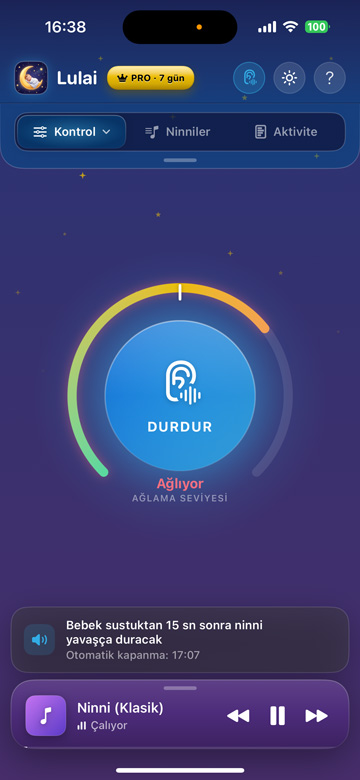
Listens for crying with an on-device model. Detection stays on your phone; audio is not uploaded to a server.
Lulai · Smart Baby Sleeper
Lulai is a sleep helper that automatically plays the sound you selected when it hears your baby cry.
No account needed. Detection stays on your phone; audio is not sent to a server.

Features
Real-time on-device detection, automatic lullabies, sensitivity controls, and Pro tools that grow with you.
Listens for crying with an on-device model. Detection stays on your phone; audio is not uploaded to a server.
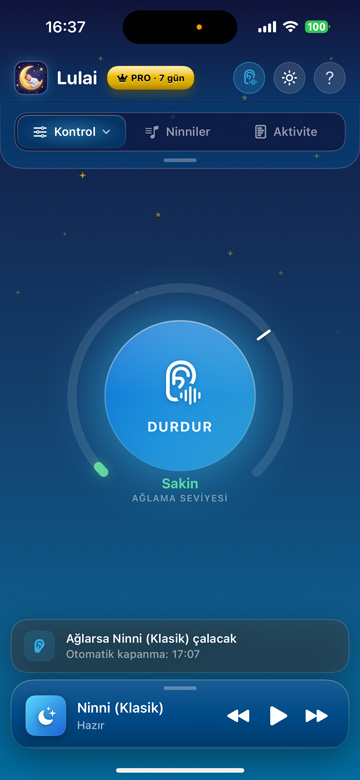
When crying is heard, the selected lullaby or sound starts automatically.
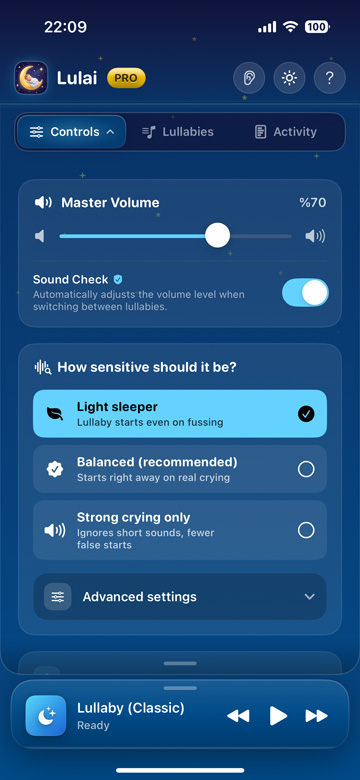
Light sleeper, balanced, or strong cries only. You can also set the threshold and wait time manually.
After crying stops, the lullaby fades out after a short while.
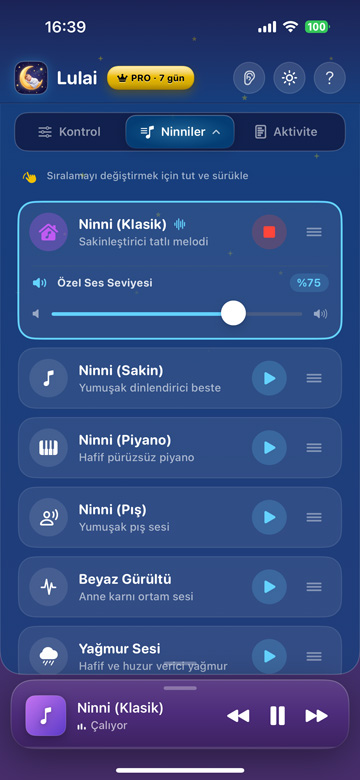
Record your own voice or add music from Files. Both are Pro features.
Automatic track switching and drag-to-reorder are Pro. Volume and inter-track leveling are included.
Audio keeps playing when the screen is locked or the app is in the background. Lock Screen and Dynamic Island show listening status and the current track.
Night mode switches to a dark interface. Free listening stops after 30 minutes; Pro unlocks unlimited time and other durations.
The Activity tab summarizes the night: wake-ups, lullaby time, and calm periods. Start listening from a Home Screen widget or Siri.
Use presets or manual controls for when playback starts, how long to wait, and when it fades out.
Free / Pro
Pro features are open for the first 7 days, then nothing is charged. Lulai Pro is a one-time purchase.
Free
Core listening and the classic lullaby—no account required.
Pro
One-time purchase. No subscription.
Lulai is not a medical device. Current pricing is listed on the App Store.
App
Listening, lullabies, sensitivity, your own audio, and the night summary in one app.
How It Works
No account. Pick a sound, start listening, and let Lulai continue when crying is heard.
Install Lulai from the App Store. No account needed—grant microphone access and start listening.
Pick the classic lullaby or a Pro sound. Set light sleeper, balanced, or strong cries only.
Playback continues when locked or in the background. After crying stops, the lullaby fades out.
FAQ
Privacy, Free / Pro, sensitivity, and medical limits.
No account. When crying is heard, your chosen sound starts on its own.